Booking Portal Platform Guide
All Categories Pay Bill How to Pay PAG-IBIG OFW Contributions Booking Portal Payment Process

How to Pay PAG-IBIG OFW Contributions Booking Portal Payment Process

By Online Support | Pinoy Online Travel Biz PH
October 8, 2024

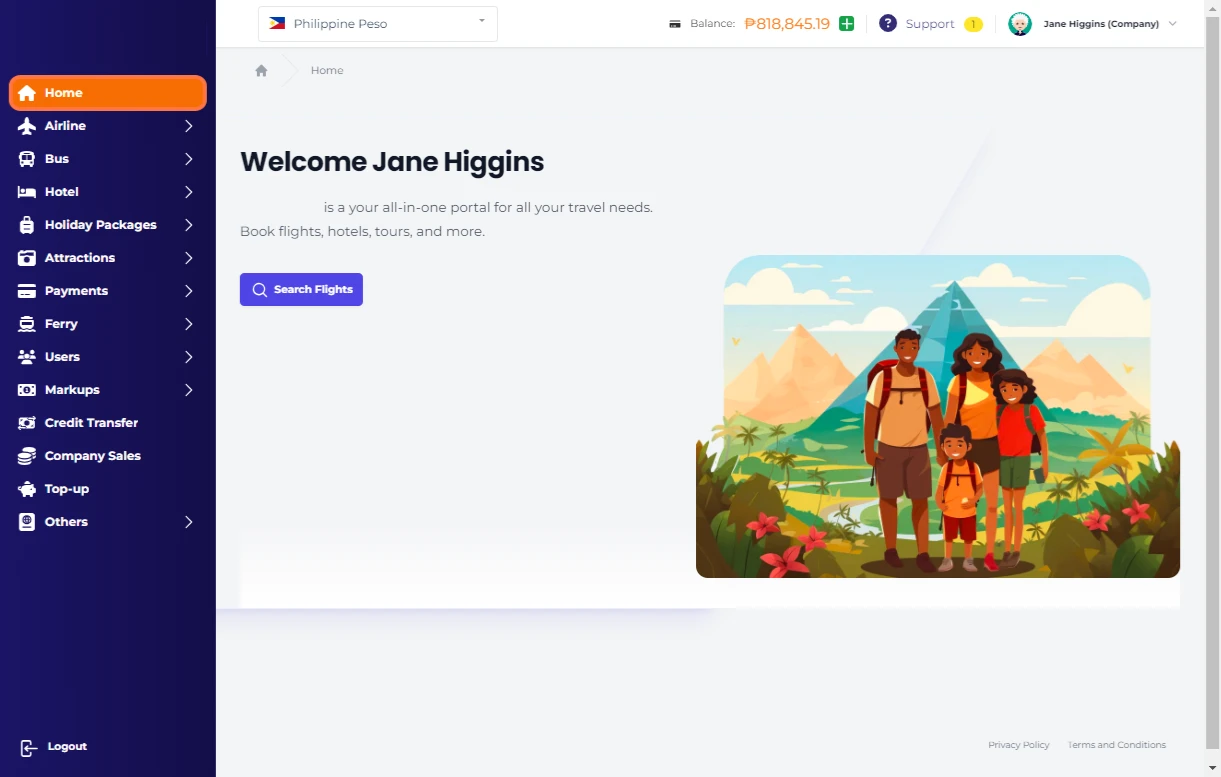
From Home…

1.png

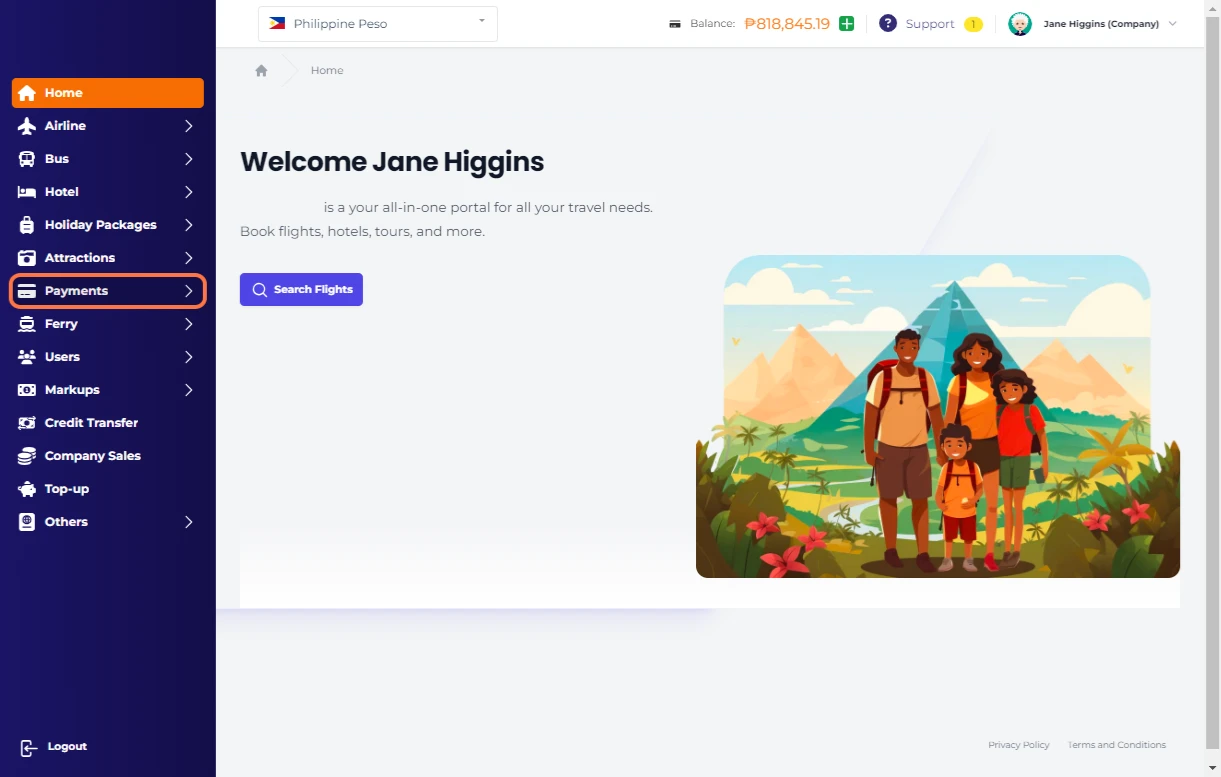
Click on Payments

2.png

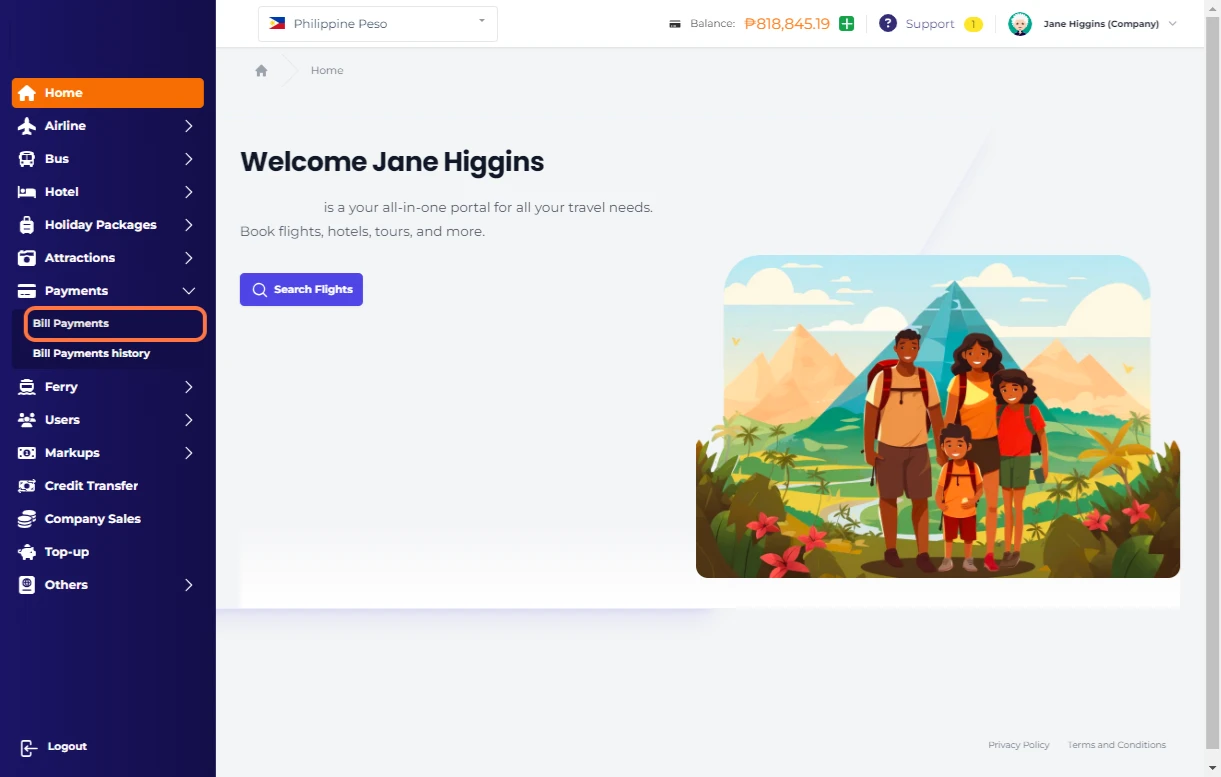
Click on Bill Payments

3.png

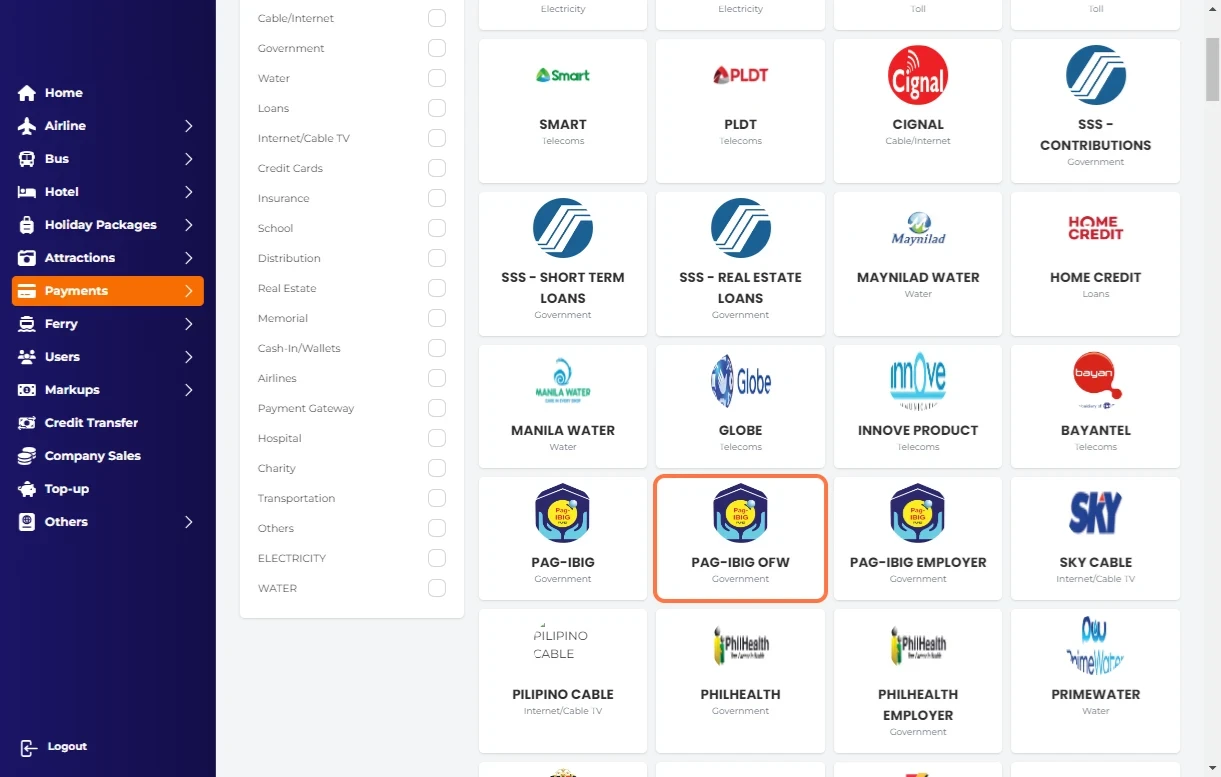
Click on PAG-IBIG OFW…

4.png

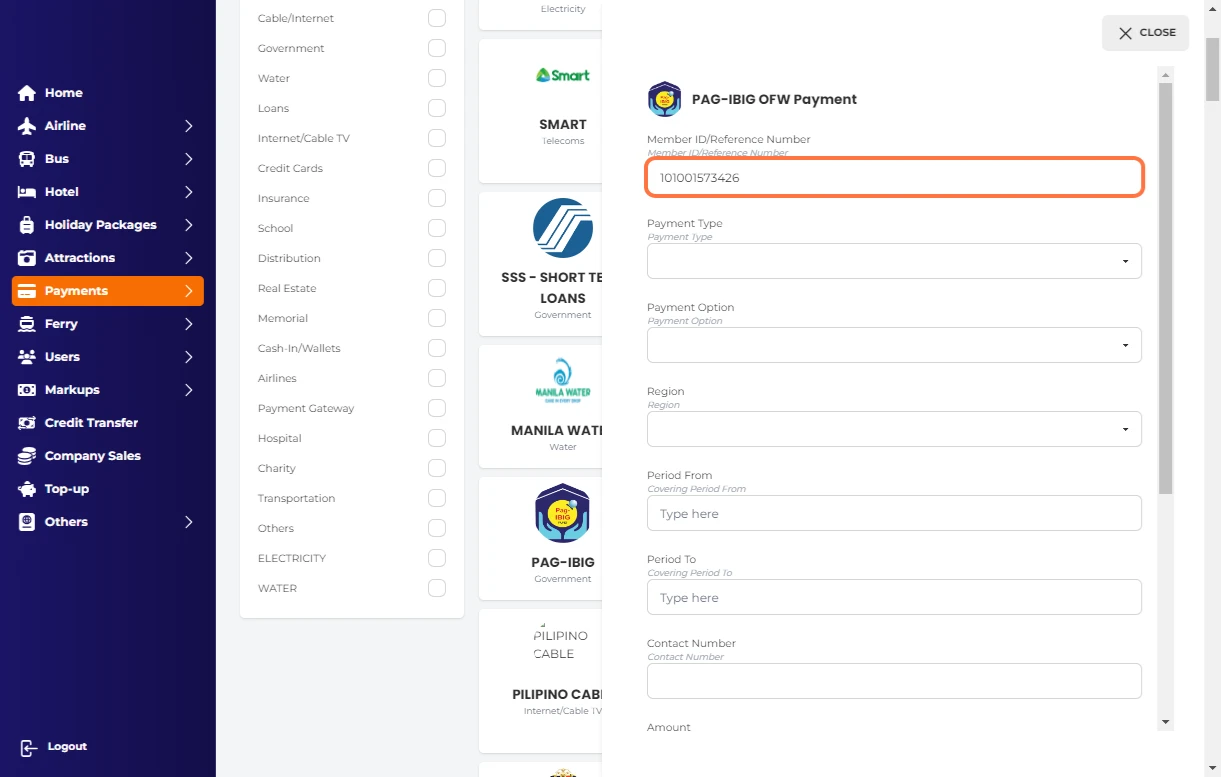
Type Member ID/Reference Number

5.png

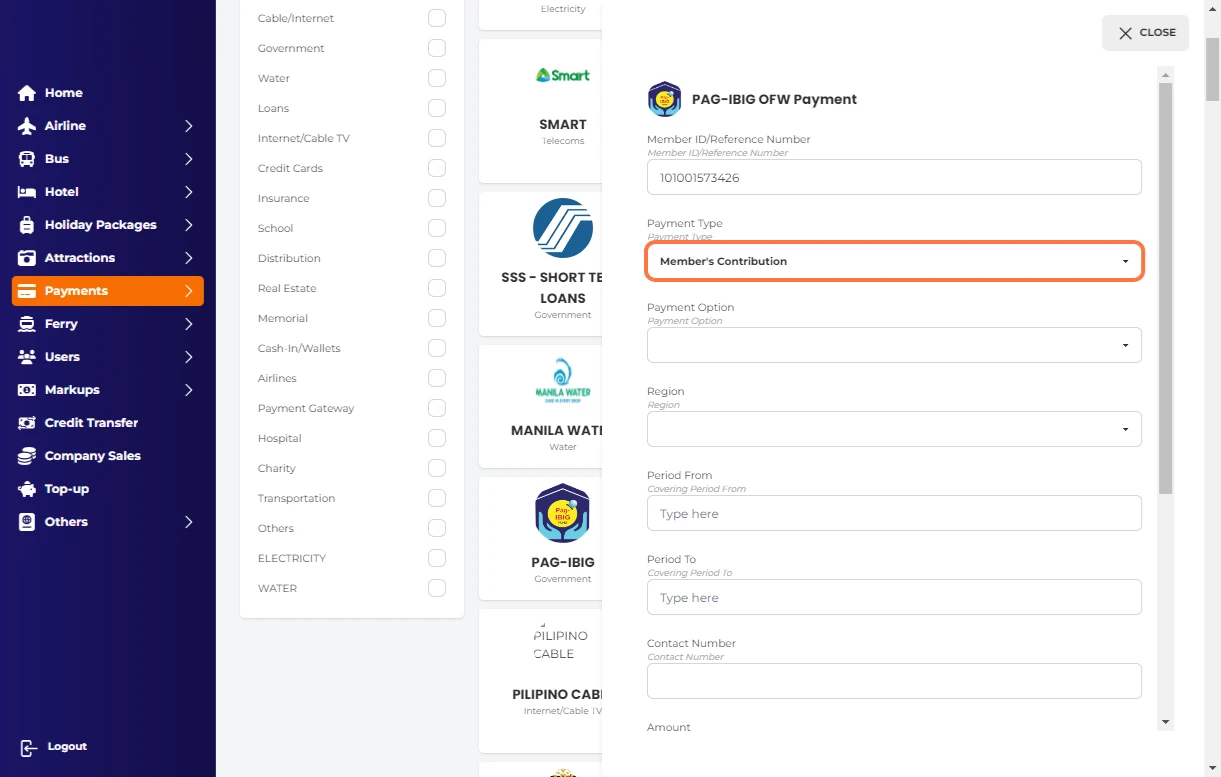
Select Payment Type

6.png

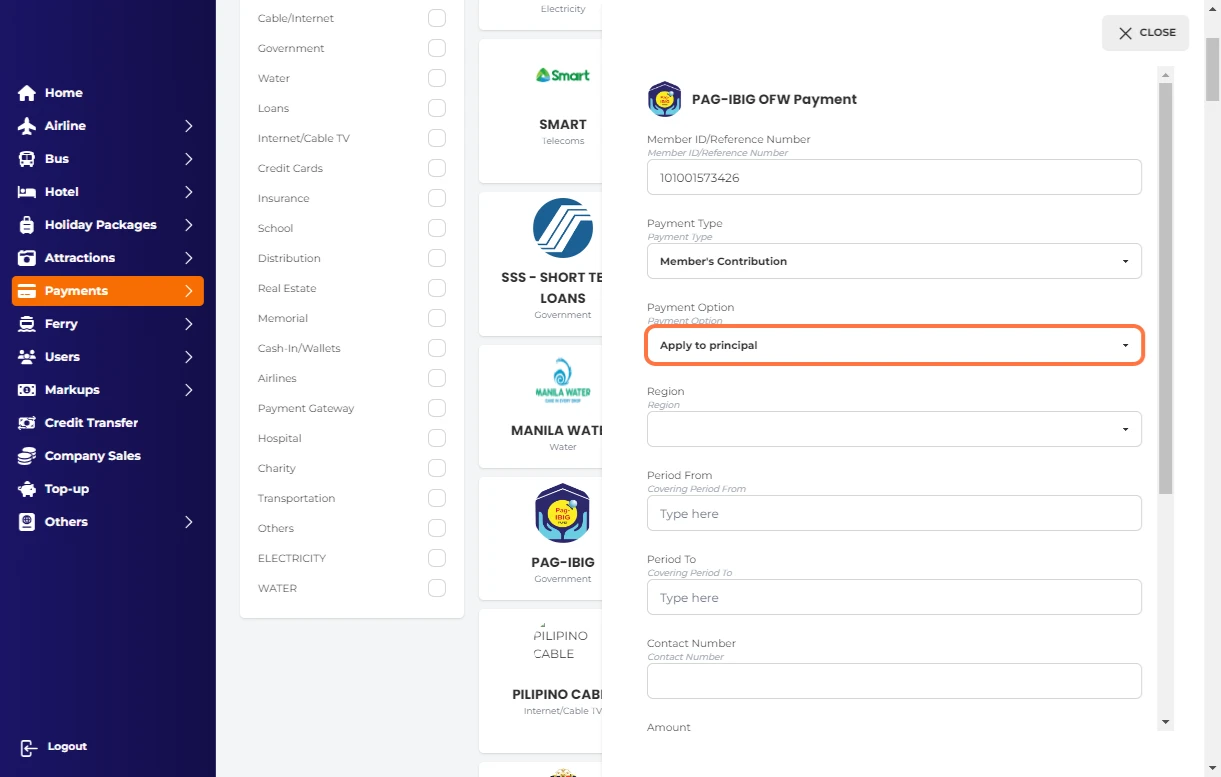
Select Payment Option

7.png

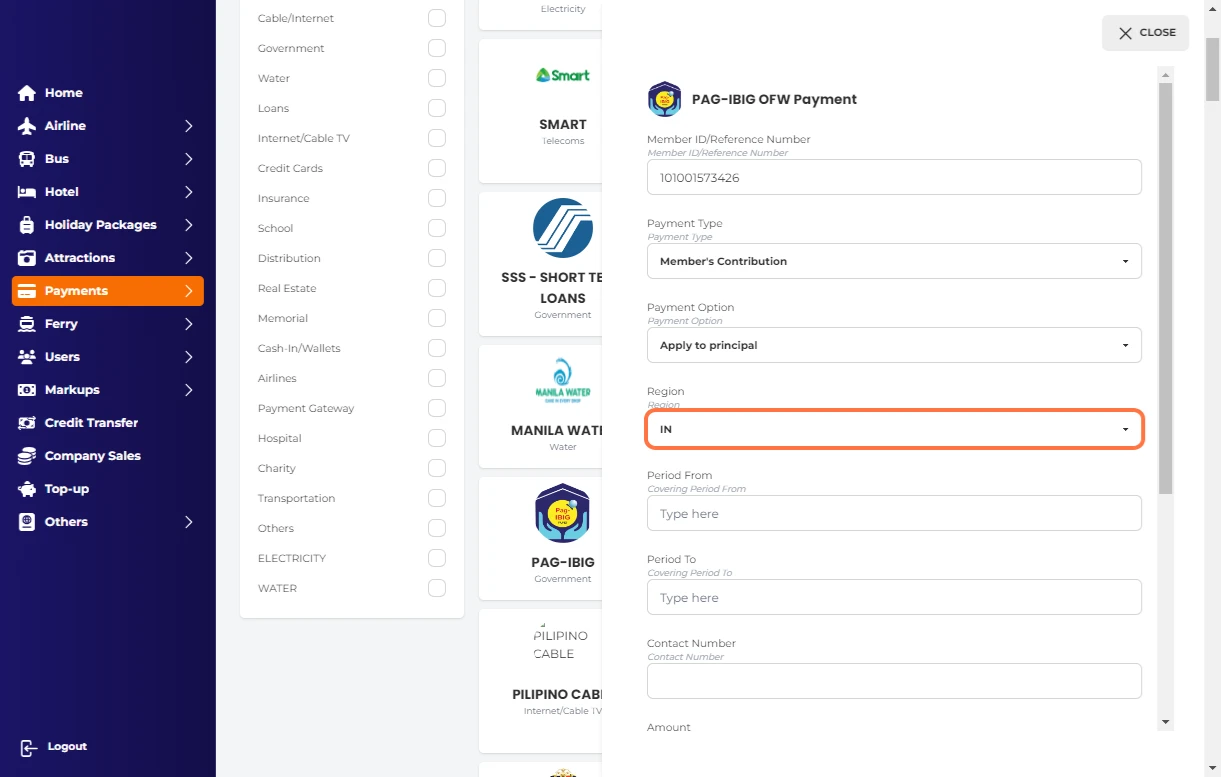
Select Region

8.png

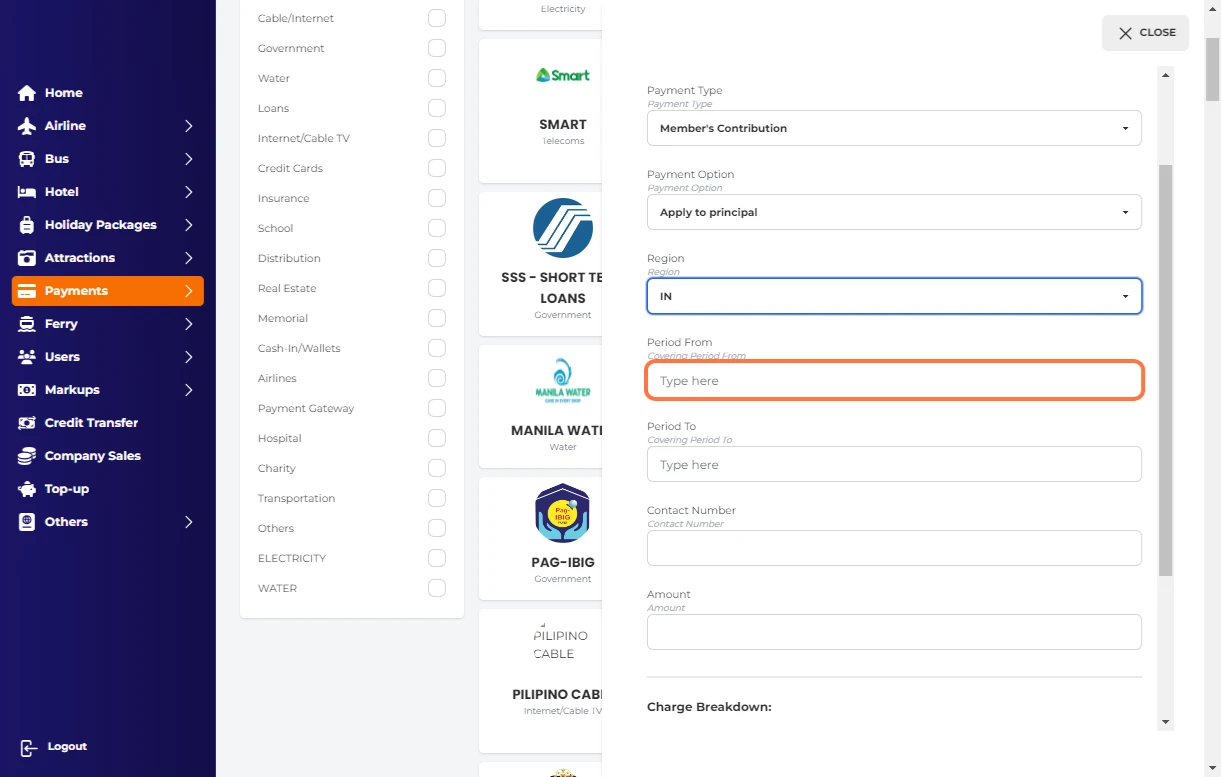
Select Period from

9.png

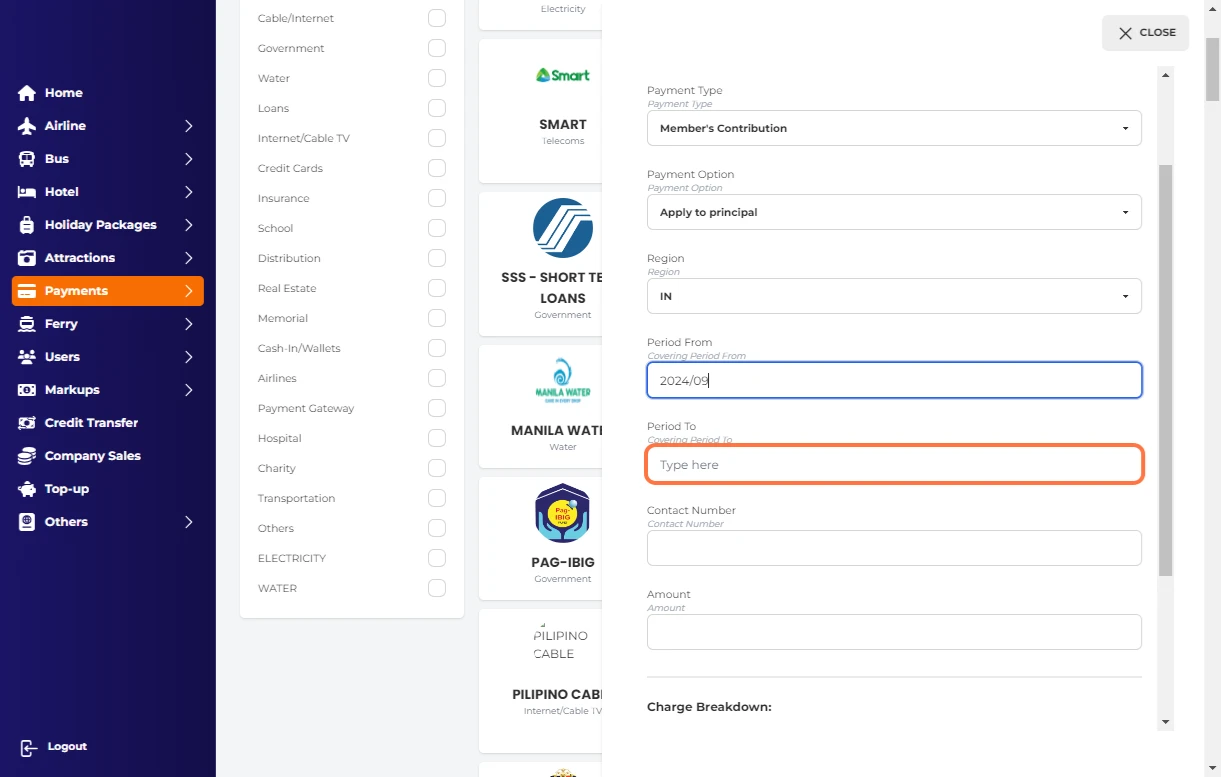
Select Period to

10.png

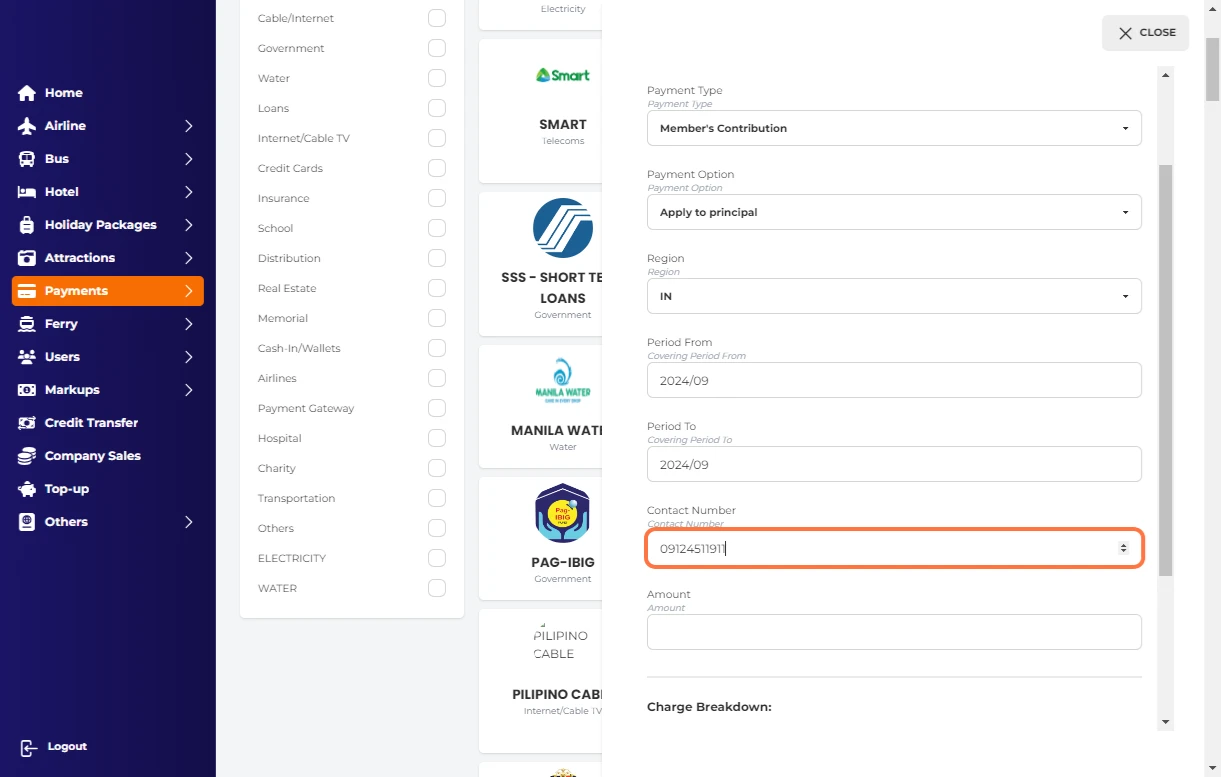
Type your contact number

11.png

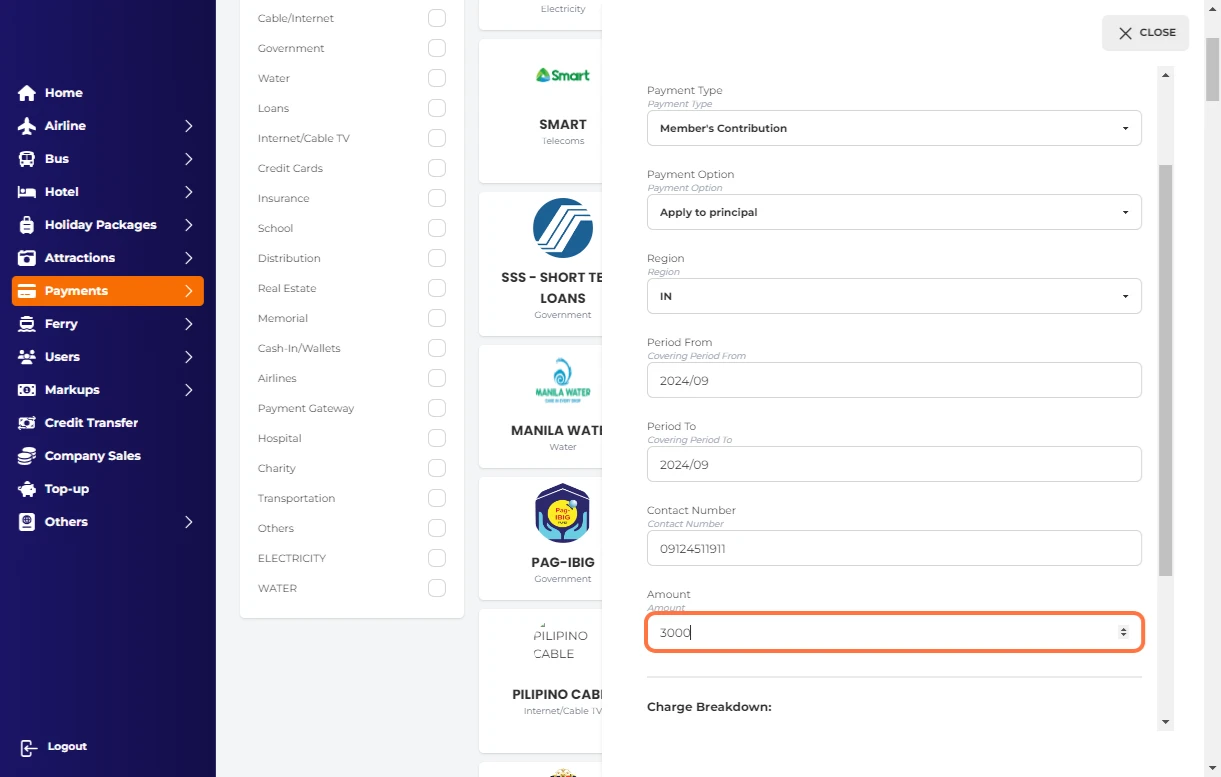
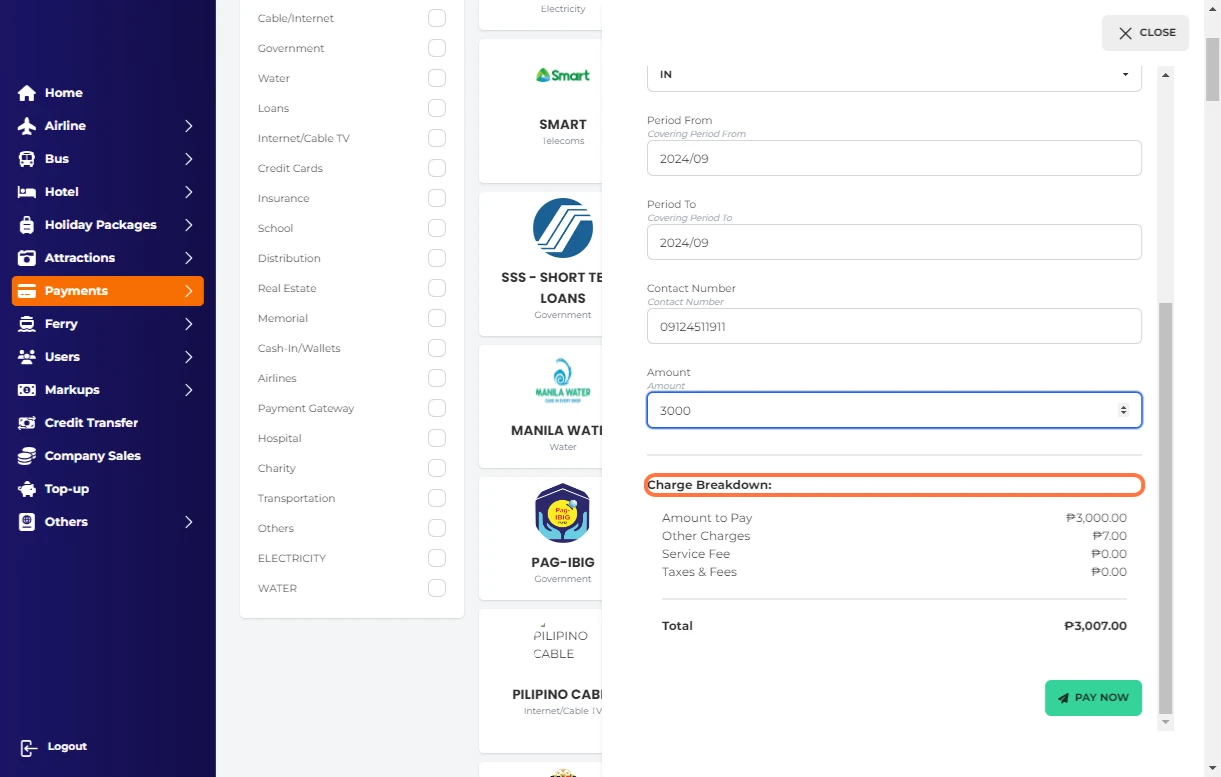
Enter amount to be paid

12.png

Check your Charge Breakdown:

13.png

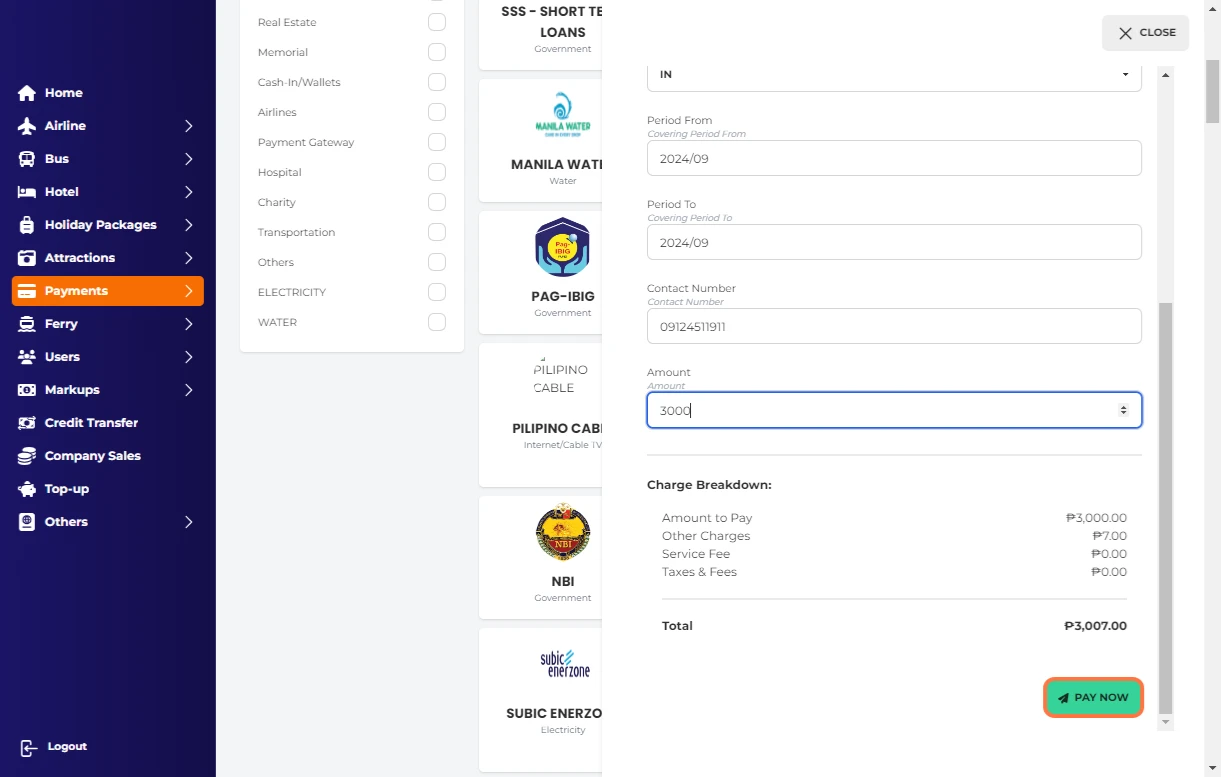
Click on PAY NOW

14.png

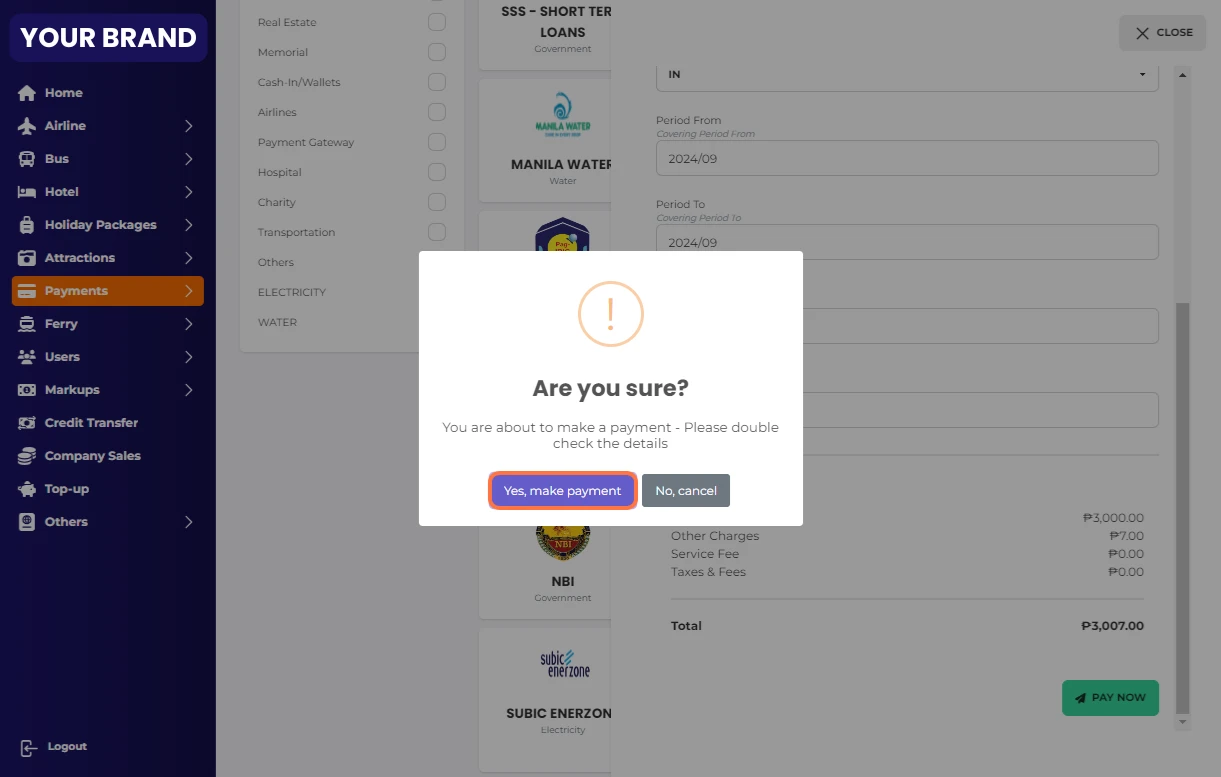
Click on Yes, make payment

15.png

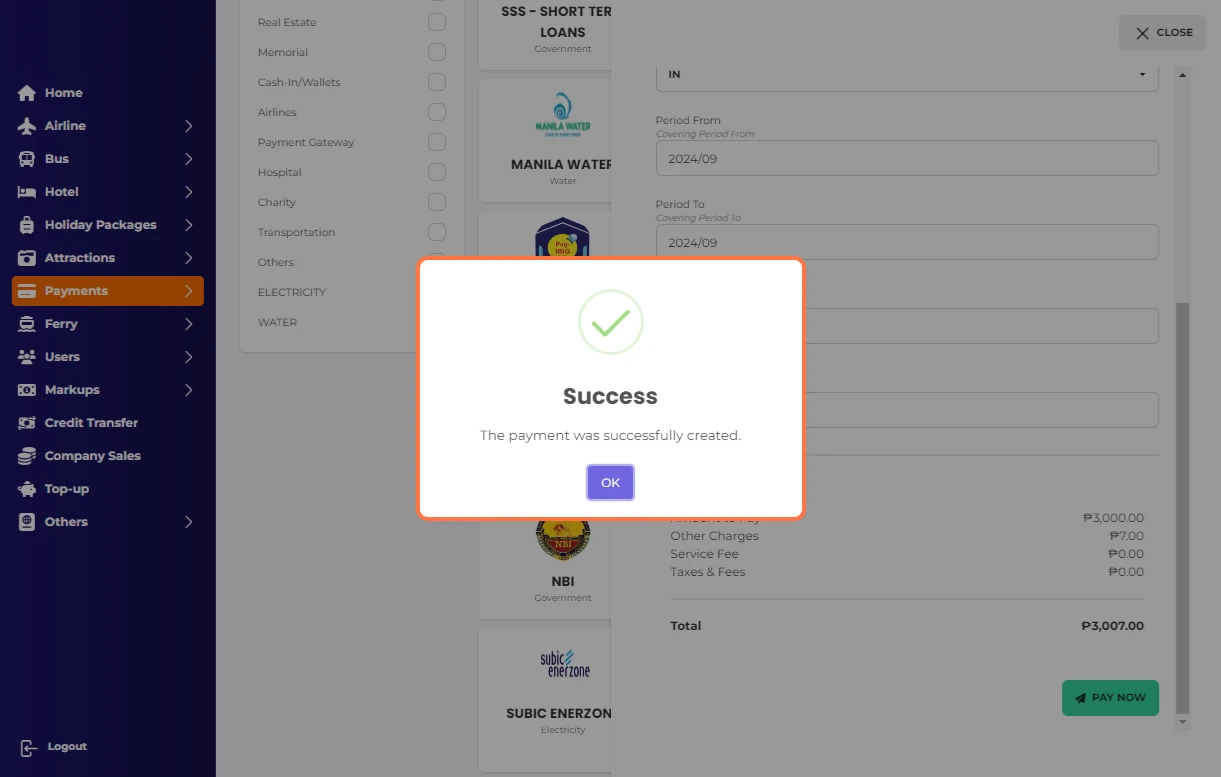
Click Ok on Success…

16.png


Was this article helpful?

Thanks for your feedback!